ReadytoCodeYourModel?
Train,Test,andPredictbyPlaying.
Playground
Welcome to the AI Playground – the perfect environment to experiment, create, and refine your machine learning models! Whether you're a beginner or an expert, you can explore various datasets, use pre-built algorithms, and interact with APIs to build robust applications.
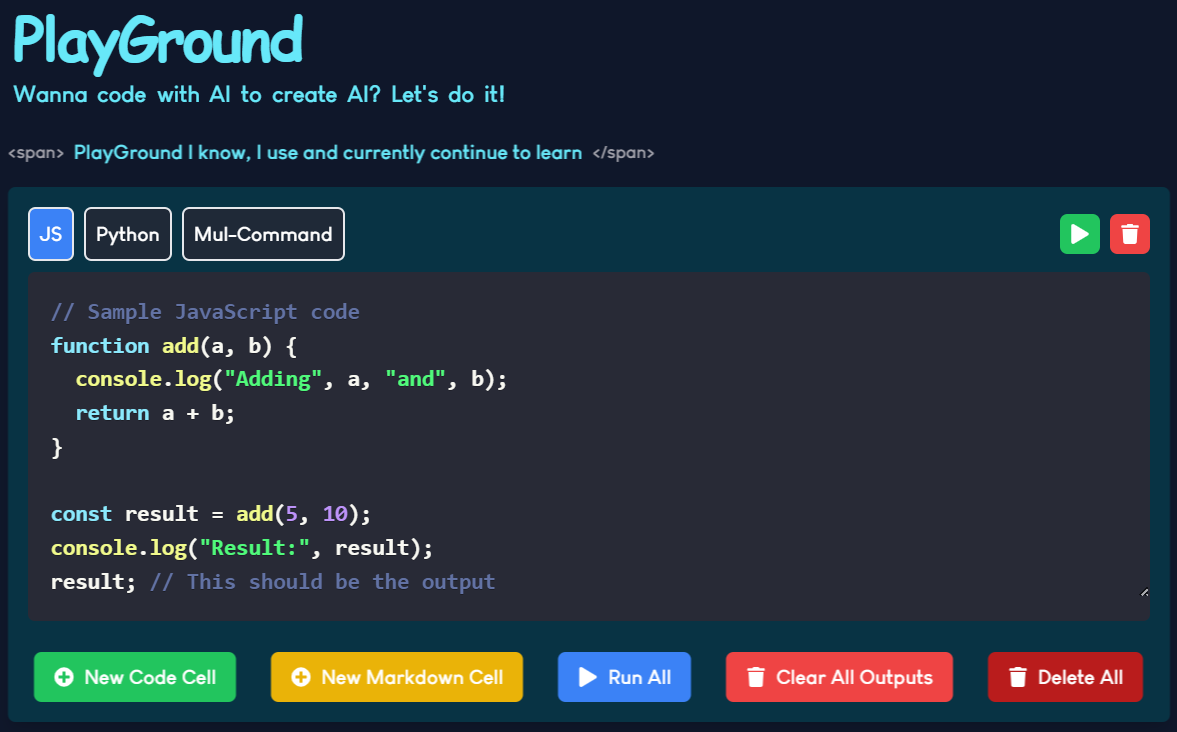
Code in Playground
Write JavaScript Code
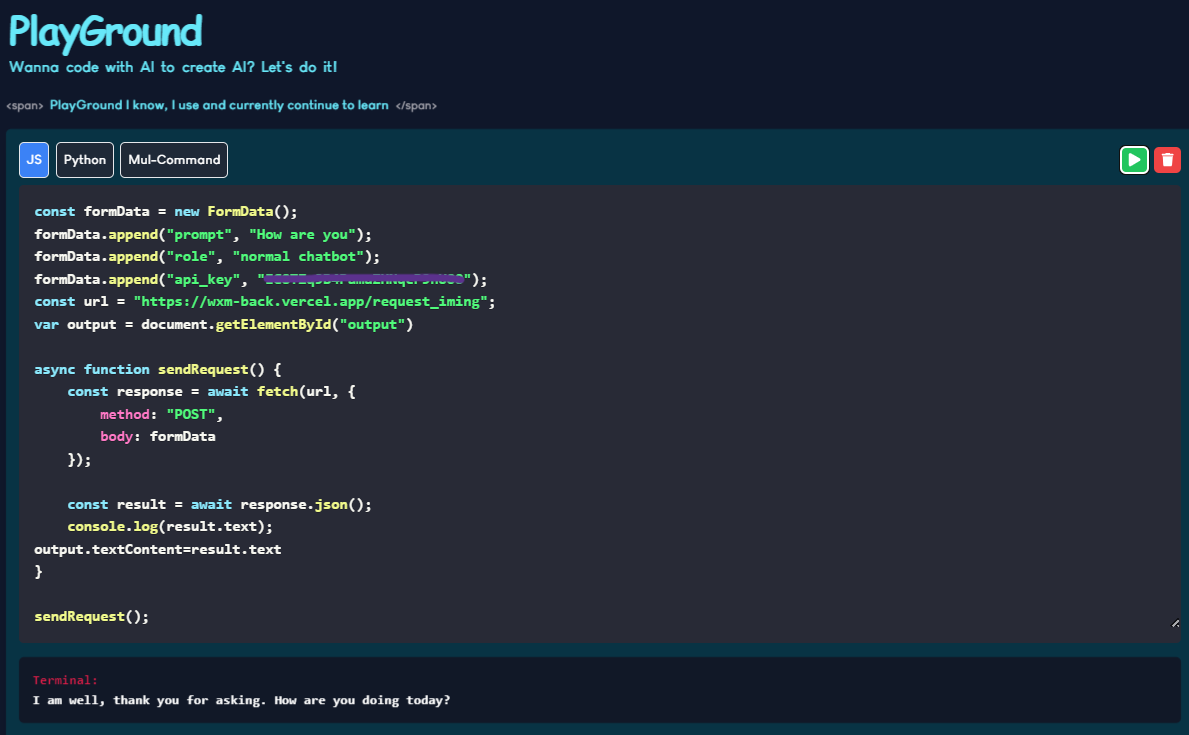
In our Playground, you have the freedom to write code and experiment with your ideas. For JavaScript users, you can not only write code but also send and receive API requests. The output will be displayed in the "output" section of the application for easy customization and viewing.
- Write JavaScript Code: You can write dynamic JavaScript code, experiment with APIs, and interact with responses directly in the Playground.
- Supports APIs: Our system allows you to send requests and receive responses seamlessly. The results can be displayed in the "output" section and accessed using JavaScript, such as with
document.getElementById("output"), for further interaction.
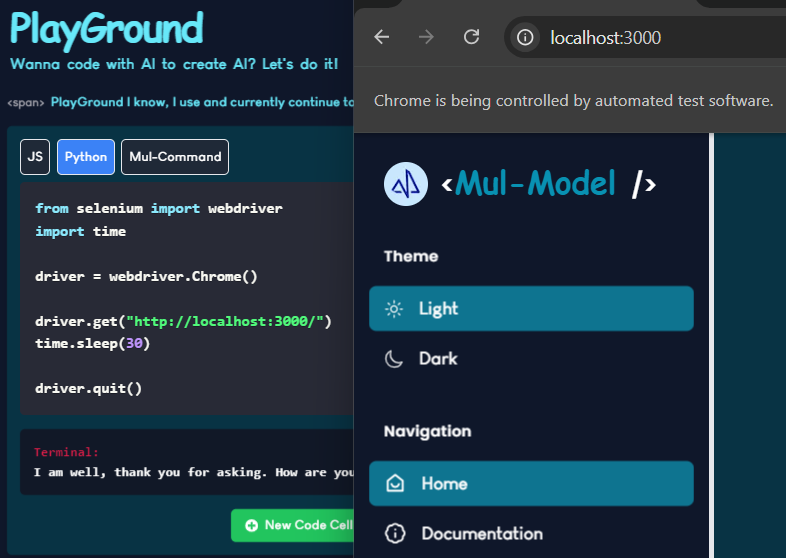
Write Python Code
For Python users, our Playground also supports running Python scripts, including the ability to perform web scraping using Chrome Driver. This feature allows you to fetch real-time data from websites, and it currently supports web scraping with Python, perfect for building data-driven models.
- Python Code: Write and execute Python code directly in the Playground.
- Web Scraping: Use the power of Chrome Driver to scrape data from websites, enabling you to collect data for your models.
Run MulCmd
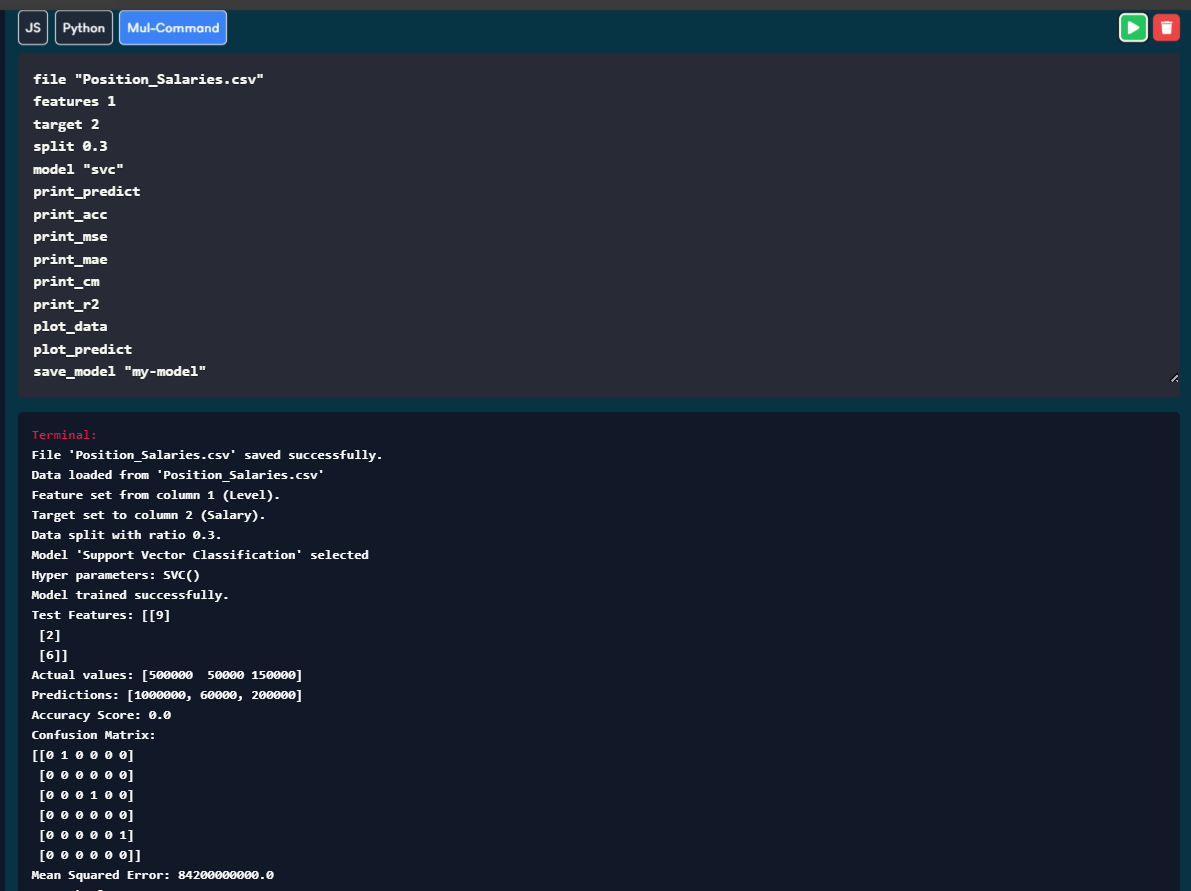
Introducing MulCmd, a simple yet powerful language designed for machine learning tasks. With MulCmd, you can easily upload your own dataset and define machine learning tasks like training and testing models using simple commands.
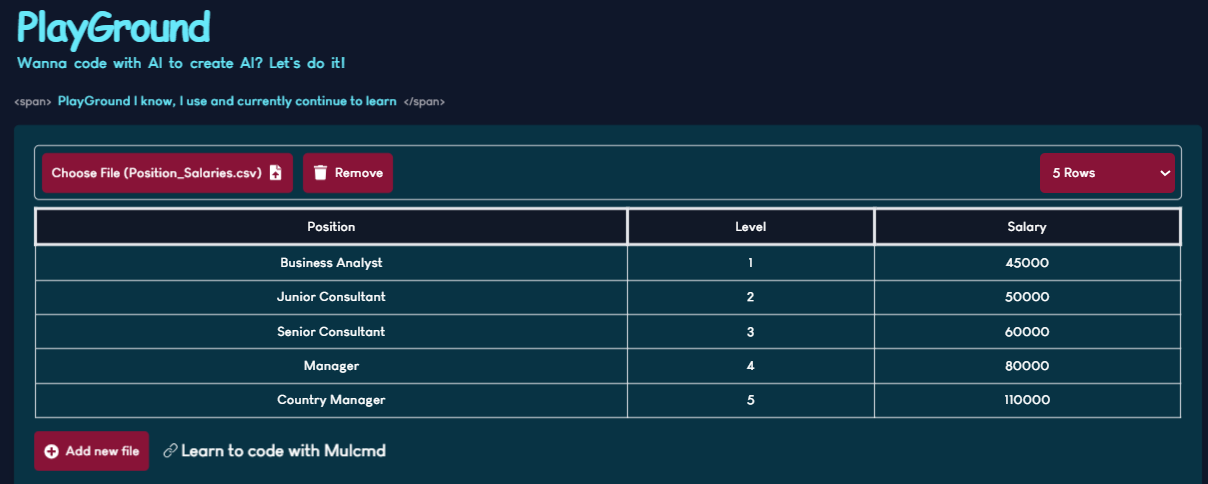
Upload Your Dataset
Upload your custom dataset directly into the platform, making it easier than ever to build models that meet your specific needs. MulCmd currently supports datasets in the CSV format only.
Train and Test Your Model
After uploading your dataset, you can use MulCmd to write commands that automate the training and testing of your model. With a few simple lines of code, MulCmd helps you implement your machine learning process efficiently and intuitively. For detailed documentation on the commands and codes used to train models, visit MulCmd Documentation.
Download Your Model
Once your model is trained and tested, MulCmd allows you to download the model in a Pickle (.pkl) format. This makes it easy to save your work and integrate it into other applications or share it with collaborators.
